Latest Post
Tampilkan postingan dengan label software. Tampilkan semua postingan

Download - Software Pembuat Cover (Box Shot 3D 2.10)

Box Shot adalah Software untuk membuat Cover buku, ebook  3D dengan mudah, meskipun tanpa kemampuan desain grafis yang cukup. Hasil cover yang dihasilkan juga luar biasa, lebih jelasnya silahkan kunjungi pada sistus resminya.
 
Box Shot 3D is a virtual cover renderer based on ray tracing algorithms. What does this mean? Simply put, the box shots you create will look very realistic. This attractive display is often the deciding factor for purchasing products.


Lectora - Tools Untuk Membuat Media Pembelajaran

Lectora adalah alat pengembangan belajar Elektronik (elearning), juga dikenal sebagai perangkat lunak authoring, dikembangkan oleh Trivantis Corporation. Lectora digunakan untuk membuat kursus pelatihan online, penilaian, dan presentasi. Hal ini juga digunakan untuk konversi dari presentasi Microsoft PowerPoint ke dalam konten elearning.

Konten yang dikembangkan dengan perangkat lunak authoring Lectora dapat dipublikasikan untuk berbagai output seperti HTML, Single File executable, dan CD-ROM. Konten Lectora kompatibel dengan standar industri elearning, seperti SCORM (Konten Object Model Referensi sharable) dan AICC (Aviation Industri Berbasis Komputer Pelatihan Komite). Konten dibuat dalam Lectora juga dapat memenuhi standar Kepatuhan 508. Selain itu, Lectora kompatibel dengan setiap sistem manajemen berbasis standar pembelajaran (LMS) di pasar.

Lectora juga memungkinkan pengguna untuk memanfaatkan array multi-media file untuk membuat konten yang lebih menarik.

Software Lectora sangat penting terutama bagi pecinta dunia pendidikan.


Download DriverEasy Professional v3.1.1.40990 Full

Driver komputer atau driver laptop menjadi kendala bagi kita yang sering install ulang komputer atau laptopnya.
DriverEasy adalah aplikasi sederhana yang membantu mendeteksi dan mendownload driver yang hilang atau ketinggalan jaman.
 
Fitur Driver easy Professional :
  • Otomatis Deteksi, Download, Backup, Restore dan Uninstall Driver. Perbaiki Masalah driver Anda
  • Otomatis Deteksi Device Driver Diketahui
  • Jauhkan Driver Up-to-Date
  • Lebih dari 1.000.000 database driver Hardware
  • Backup Driver, Restore & Uninstall Fitur *
  • GRATIS untuk Penggunaan Pribadi
  • Multi-Language Interface *
  • Sangat Mudah Penggunaan

Keunggulan Lainnya :
  • Mendeteksi Perangkat driver yang tidak diketahui
  • Otomatis Mendeteksi & Download Driver Yang Tidak Diketahui Perangkat Butuhkan ANDA, ANDA menghemat Waktu murah Energi!
  • Supir Yang Akan ada Up-to-Date
  • Update Driver UNTUK Versi terbaru, Fine Tune SISTEM murah Aktifkan Fitur Lebih lanjut.
  • Backup driver yang Restore
  • ANDA DENGAN SISTEM aman Backup driver Terpasang, Mudah Roll Back setelah upgrade ke Versi baru, atau setelah Kembalikan SISTEM Reload
  • uninstall driver
  • Menghapus Out-of-Tanggal atau Device Drivers Unplugged. Hindari Konflik Driver.

Kebutuhan Sistem :
  1. Windows XP atau Vista atau 7 (32-bit & 64-bit)
  2. Pentium III atau lebih tinggi
  3. 128 MB RAM yang tersedia
  4. 25 MB ruang hard disk bebas
  5. Koneksi ke internet Driver Download
  6. NET Framework 2.0
 
Download Driver Easy Profesional
 

Download - Wondershare PDF Converter Pro

Wondershare PDF Converter - ada kata PDF Converter tentu kita langsung tau fungsinya untuk apa? ya mengkonversi file dengan format PFK ke format yang lain . Wondershare PDF Converter mempu mengConvert PDF asli atau scan ke Word, Excel, PowerPoint, EPUB, HTML dan Teks dengan OCR. 

Fitur -fitur :

Ekspor 7 format akurat
  • PDF Converter dapat mengkonversi file PDF ke dokumen Word, spreadsheet Excel, PowerPoint presentasi, eBook EPUB, halaman web HTML, file teks dan gambar yang biasa digunakan (jpg,.. Png, gif,.. Bmp,. Tiff).
  • Setelah konversi, semua teks asli, gambar, grafik, tabel, hyperlink, tata letak dan format yang tepat dipertahankan.
  • Dukungan Microsoft Office 2010/2007/2003.

Mengkonversi file PDF terenkripsi

  • PDF Converter juga dapat mengkonversi file PDF terenkripsi yang terlindung dari percetakan, mengedit, dan penyalinan.
  • Untuk password yang dilindungi file PDF dari pembukaan, Anda perlu mengetikkan password di kotak dialog pop-up, dan kemudian PDF Converter dapat melakukan pekerjaan konversi untuk Anda.

Batch dan konversi parsial mode

  • Batch konversi mode: Membantu Anda mengkonversi sampai 200 file PDF pada satu waktu, menghemat waktu Anda.
  • Pengkonversian sebagian program: Membantu Anda fleksibel mengkonversi halaman yang dipilih atau kisaran halaman dalam file PDF ke dokumen Word, spreadsheet Excel, PowerPoint presentasi, eBook EPUB, atau file teks.

Mendukung OCR (Hanya tersedia dalam versi Pro)

  • Cepat dan akurat OCR pengakuan dan mengubah.
  • Simpan gambar berbasis PDF dipindai ke Word berbasis teks, Excel, PowerPoint, EPUB, HTML dan dokumen teks.
  • Mendukung bahasa pengakuan 17: Inggris, Portugis Turki, Yunani, Jerman, Perancis, Italia, Spanyol, Rusia, Polandia, Ceko, Slovakia, Kroasia Ukraina, Bulgaria, Rumania, dan Katalan.

Multi-user Izin Usaha dan Individu

Banyak tangan membuat pekerjaan ringan. Untuk membuatnya lebih mudah bagi individu dan perusahaan untuk berbagi sederhana kami, solusi PDF kami menawarkan harga diskon untuk pembelian PDF Converter Pro.

Password : Tidak Ada

catatan : jangan menggunakan tool download seperti IDM dll, gunakan download standar browser saja.
 

Download Corel Draw X5 Full Version with Serial Number

Setelah melancong beberapa saat ditemani om google, akhirnya ketemu corel draw versi x5. pastinya sudah tau software ini, dan Corel X5 adalah edisi terbaru dari Corel Draw.

Nah.. kali ini corel draw versi X5 memiliki tampilan yang lebih futuristik. Trus juga, didukung dengan fitur yang lebih lengkap. Seperti yang ada dibawah, gan…
Supaya bisa nginstall software ni, dibutuhkan spek komputer/PC/laptob :
Settings
Microsoft Windows Windows Vista WindowsXP with the latest service packs installed (32-bit or 64-bit)
Intel Pentium 4, AMD Athlon (TM) 64 or AMD Opteron (TM)
the 512 MB of RAM (1GB recommended)
the 750 MB of hard disk space (1 GB for typical installation with no content). Up to 6GB needed to install the extra content
the Mouse or tablet
the 1024 x 768 screen resolution (768 x 1024 on a Tablet PC)
the DVD drive
Microsoft Internet Explorer 7 or later.
Diperhatikan spek komputer agan-agan

Trus berikut cara download plus installnya :
Cara Aktivasi CorelDraw X5 :
  1. Unduh terlebih dahulu instaler dan serial number (link ada dibawah)
  2. Monggo install dulu corelnya. Ditengah-tengah pas lagi install, diminta serial number. Masukkan serial number yang uda diunduh.
  3. Selesai instal, silakan tutup terlebih dahulu halaman corelnya. jangan dibuka dulu ya gan!! masih ada langkah selanjutnya.
  4. Copy 2 File “CorelPP.dll and CorelDrw.dll” dan paste ke (C:\Program Files\Corel\CorelDRAW Graphics Suite X5\Programs)
  5. Copy File “CRLUTLINTL.dll” dan paste di (C:\Program Files\Corel\CorelDRAW Graphics Suite X5\Languages\EN\Programs).
  6. Done, boleh dibuka
Uda ane coba sendiri gan, 100% berhasil. Selamat mencoba dan semoga bermanfaat

UPDATE (11/11/2011) : Link Unduhan sudah saya perbaiki.
CorelDraw Graphics Suite X5  Download (564 MB)
Serial Number (Keygen) CorelDraw X5  Download (18.553 MB)
 

Bento 4.1.1 - Personal Database File Maker

Bento is a personal database from FileMaker that's as easy to use as a Mac. Bento organizes all your important information in one place, so you can manage your contacts, coordinate events, track projects, prioritize tasks, and more faster and easier than ever before.

Features:
Bring It All Together: From contacts and calendars, to projects and events, you can organize just about every type of information you have all from one place.
See Things Your Way: Just drag and drop or point and click to change the look of any form, and see information in a way that makes sense to you. Now seeing, searching, and sorting your information is simpler and faster than ever before
Designed For Leopard: Bento has direct links to the Mac OS X Address Book and iCal, and takes advantage of many new features of Leopard, including core animation, advanced find, Time Machine, backups, and multimedia features.

If you're already using FileMaker Pro, be sure to check out Bento for your personal organization and productivity needs. It's also a great way to organize all your after-work activities, community projects, school events and more.

Languages
English, Dutch, French, German, Italian, Japanese, and Spanish

Minimum System Requirements
Supports Mac OS X 10.5.7 Leopard, Mac OS X 10.6 Snow Leopard, and Mac OS X 10.7 Lion.
 

Download R-Studio 6.0 Network Edition Full

R-Studio 6.0 Network Edition Adalah softwareuntuk mengembalikan/memulihkan data yang hilang pada berbagai macam media penyimpanan. Bila anda pernah kehilangan file penting seperti foto, video, dokumen, musik dan lain sebagainya  karena sengaja atau tidak sengaja, mungkin R-Studio 6.0 Build 151275 Network Edition Full Versi ini bisa membantu anda untuk mengembalikan file-file yang telah terhapus/hilang tersebut.

R-Studio's key data recovery features include:
• Drive recovery for all major file systems, including FAT12/16/32/exFAT, NTFS, NTFS5 (created or updated by Windows 2000/XP/2003/Vista/2008/Win7), HFS/HFS+ (Macintosh), Little and Big Endian variants of UFS1/UFS2 (FreeBSD/OpenBSD/NetBSD/Solaris) and Ext2/Ext3/Ext4 FS (Linux).
• Recovery of damaged or corrupted partitions.
• Recovery of data from repartitioned or formatted hard drives and disks.
• Raw file search (scan for known file types) with custom user-defined file types.
• Advanced file previewer; estimate chances for successful disk recovery before you buy.
• Flexible, scalable file search capabilities - makes both big and small file recovery jobs easy.
• Smart processing of bad sectors.
• Backup and recovery disk imaging (local or over network). Image files are compatible with R-Drive Image software.
• Bootable R-Studio Emergency (start-up) version can securely wipe any data storage device (hard disks, Flash drives, external drives, etc.) for reuse, disposal or transfer; even works on computers that won't boot.
• Drive recovery over local area network (LAN) or Internet.
• Professional RAID reconstruction features that meet or exceed competing stand-alone array reconstructor products.
• Advanced text/hexadecimal editor with support for various data patterns like boot records, master file tables (MFT), etc. Such patterns may be custom-created.
• Advanced disk copy module.

Password : koskomputer
 

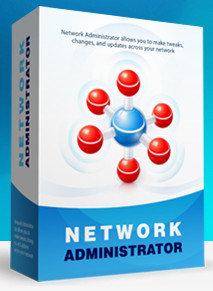
IntelliAdmin Network Administrator 2010.3.0.111 Full Download

Network Administrator allows you to make tweaks, changes, and updates across your network. It has an amazing plugin system that is packed full of actions.

Network Administrator can:

Change network configuration
Want to switch 1000 hosts to DHCP? Have new DNS servers? No problem, with this plugin you can change them in a few clicks

Daylight Saving Time Update
Easily update those older NT 4.1, Windows 2000, and XP machines to the latest DST settings without being forced to purchase a $5000 patch from Microsoft.

Disable CDROM and DVD Burning
Keep users from copying data off your network. Disable DVD and CD burning while allowing users to still have read only access.

Set Excel 2007 to save in the older format
Having a problem with users sending Excel 2007 documents to people outside your network? Reduce those help desk calls by forcing all of your Excel 2007 users to automatically save in the 2003/XP format.

Disable Floppy Drives
Prevent users from accessing their floppy drives and installing unwanted software. Etc...

Download IntelliAdmin Network Administrator 2010.3.0.111  Full
 

Download - Tracker Software PDF-XChange Pro v4.0200.200 Full

Worlds best general purpose PDF creation and manipulation Tool just got better! PDF-XChange PRO offers all the features of the author version of PDF-XChange Standard PDF and bundled with our flexible and extensive all purpose tool PDF creation and modification - PDF-Tools. PRO Combine this with our award winning PDF-XChange Viewer PRO, MSOffice Toolbar Addin (mualaf. xls,. Pub. Ppt, VSD & .. Doc to PDF with a selection of application specific MSOffice), OFFice2PDF batch utilities and PDF-XChange is only about as good as it gets as a complete software solution engine.

PDF-XChange consistently offers the smallest files, fastest PDF creation and manipulation of the most reliable and available today. Print to PDF from Windows applications using your favorite file, a powerful feature-rich PDF converter, PDF Reader, PDF manipulation and sophisticated tools, you will be amazed with the results.


Maxon Cinema 4D 12 Free Download (Full Version)

Jenggot Api - dibulan juni ini akan lebih banyak posting masalah Software. Untuk mengawali nya saya posting tentang Software Multimedia yang sangat terkenal dari Maxon.Net...

Untuk mendownload Aplikasi Ini anda dapat menggunakan program uTorrent atau sejenisnya, silahkan jika anda telah memiliki program uTorrent, klik link download ini:


Ini keterangan dari Situs Resminya:
CINEMA 4D Studio is the very best that MAXON has to offer for professional 3D artists. If you want to create advanced 3D graphics but need a helping hand to ensure you create jaw-dropping graphics quickly and easily, then this is the choice for you.
As well as containing all of the features found in CINEMA 4D Prime, Visualize and Broadcast, CINEMA 4D Studio adds advanced character tools, hair, a physics engine and an unlimited clients network for rendering. The result is that CINEMA 4D Studio can tackle any project you throw at it with ease.

CINEMA 4D Studio's character tools make it easy to create character rigs and advanced character animations. Adding hair or fur to characters is fast and simple with a powerful suite of hair tools that you can grow, comb, style and animate. The physics engine makes it simple to perform complex collisions and interaction between objects, be it just a few or thousands. Network rendering allows you to take advantage of all computers on your network to help render your animations faster.

Despite being designed for advanced 3D, the extra tools found in CINEMA 4D Studio are still designed to be user-friendly and intuitive. Generating advanced 3D effects such as hair is surprisingly easy and fast, with CINEMA 4D doing much of the work for you. For example, hair will automatically swoosh and sway as you move your character around; and making thousands of objects collide with each other only takes a few mouse clicks to set up.

CINEMA 4D Studio lets you unleash your creativity and enjoy 3D without limits. 

Mudah2an bermanfaat
 

Windows XP serasa Mac Lion - Download Lion Transformation Pack (free)

Windows XP - merupakan sistem operasi yang penggunanya sangat banyak. Bahkan meskipun Microsoft telah merilis versi diatasnya seperti Windows Vista dan Seven (7) tapi pengguna windows masih enggan meninggalkan si Windows XP ini. Manarik nya pada windows XP ini banyak sekali aplikasi-aplikasi yang dapat berjalan seperti halnya Style, dan Transformation. sehingga tampilan dapat menyamai (90%) dari Windows Vista, Seven bahkan Linux dan Mac.

Disini saya kasih tau sebuah software yang dapat mengubah tampilan windows xp anda menjadi seperti Mac Lion. Softwarenya adalah Lion Transformation Pack yang dapat diunduh gratis di link berikut


Hasil Tampilan seperti ini:

Silahkan dicoba.., jika link download gagal silahkan laporkan melalui komentar dibawah ini..!
 

GIMP - Software Pengolah Grafis (Gambar/Image) Gratis

Kita sering menggunakan program seperti Photoshop, sebagai program untuk mengolah gambar, seperti edit foto, dan lain-lain. Dengan fitur yang lengkap tentunya Photoshop banyak digunakan, tampilan yang user friendly dan masih banyak alasan lainnya. Tetapi kalau kita tau berapa harga lisensi dari Adobe Photoshop? silahkan kunjungi situs resminya di www.adobe.com.

Banyaknya link download untuk mendapatkan photoshop yang full (bajakan) juga meningkatkan jumlah penggunanya. tapi silahkan dipikirkan kalau ada yang gratis kenapa pakai bajakan...? saya tidak menggurui tapi menyarankan untuk mulai mempelajarinya. "Saya juga masih menggunakan Photoshop, hehehe"

GIMP sebagai alternatif dan pilihan tepat untuk mengantikan photoshop, dengan tampilan yang sederhana, fitur yang lengkap dan yang terakhir "GRATIS".

GIMP is the GNU Image Manipulation Program. It is a freely distributed piece of software for such tasks as photo retouching, image composition and image authoring. It works on many operating systems, in many languages.
Itu saya SATE (Salin Tempel) dari situs resminya gimp www.gimp.org, kalau saya terjemahkan menggunakan google translate hasilnya seperti ini  :
GIMP adalah Program Manipulasi Gambar GNU. Ini adalah bagian dari perangkat lunak bebas didistribusikan untuk tugas seperti retouching foto, gambar dan komposisi gambar authoring. Ia bekerja pada banyak sistem operasi, dalam banyak bahasa.
Jadi kira-kira menurut saya inilah program alternatif untuk menggantikan Adobe Photoshop bagi yang tidak sanggup untuk  membeli lisensi photoshop.

Tampilan Gimp Kira-kira seperti ini:


Download GIMP terbaru :  GIMP - Software Pengolah Grafis (Gambar/Image) Gratis
 

Axialis IconWorkshop - Software Untuk Membuat Icon Sendiri

Icon biasanya berupa sebuah gambar yang berfungsi untuk menunjukkan suatu program atau suatu tipe file tertentu, atau juga digunakan untuk menunjukkan suatu perintah tertentu dalam program. Seperti pada toolbar Microsoft Word misalnya disana banyak gambar-gambar kecil untuk memudahkan penggunanya dalam menjalankan perintah tertentu.

Jika anda ingin membuat progam atau sebuah aplikasi desktop menggunakan pemrograman tertentu biasanya membutuhkan sebuah icon. Atau ingin membuat icon untuk website atau yang sering disebut favicon.

Ada sebuah software yang menarik untuk mengatasi permasalahan pembuatan icon, yaitu Axialis Iconworkshop. Sayangnya software ini tidak gratis, anda dapat mendownload Axialis IconWorkshop - Software Untuk Membuat Icon Sendiri yang merupakan versi trial (30 hari).

Atau anda ingin mendapatkan yang full dengan mencarinya memalui link-link yang tersedia di Google.
atau melalui link di bawah ini:


Kontrol Komputer Jarak Jauh Lewat Internet

Mengontrol komputer dari jarak jauh via internet, seolah-olah Anda berada tepat di depannya. Apakah Anda memberikan dukungan spontan, mengatur server atau bekerja dari rumah, TeamViewer membuat Anda dapat menyelesaikan pekerjaan Anda
Dengan Teamviewer kita dapat dengan mudah mengontrol komputer dengan jarak yang jauh, misal komputer kantor, komputer server atau bahkan komputer pacar.. hehe 

Kelebihan menggunakan Teamveawer:
  • Dukungan jarak jauh instan – tidak perlu instalasi apa pun pada pihak klien 
  • Pemeliharaan jarak jauh – akses ke komputer dan server jarak jauh selama 24 jam/7 hari  
  • Akses jarak jauh – akses data anda dan aplikasi kapan saja dan di mana saja  
  • Bekerja di rumah (home office) – akses komputer kantor Anda dari rumah
 
 
Support : Jenggot Api Blog | Maju Tak Gentar Membela Yang Benar!
Copyright © 2012. Jenggot Api - All Rights Reserved
Powered by Blogger